
Bring the quotation trail back together
Start with the supplier contact and review the enquiry, revised quotation, clarification, and acceptance in order rather than guessing which subject contains the final position.
SUPPLIER EMAIL HISTORY
Keep supplier and vendor correspondence readable across RFQs, quotations, purchase orders, schedule changes, and handovers—even when the subject line does not stay consistent.
Real Gmail, every current feature, free during beta. No card and no automatic paid conversion.
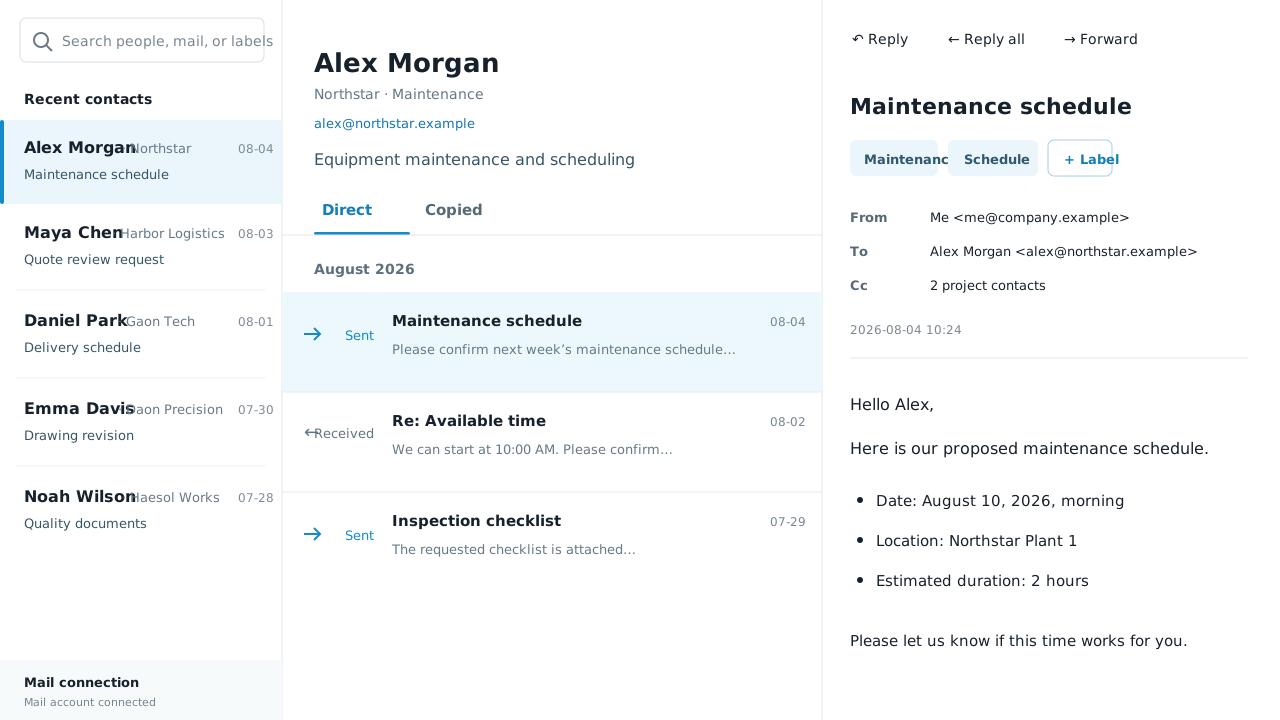
The result is a searchable email trail around the supplier relationship. Buyers continue using Gmail; external vendors continue using the email they already have.
WHAT CHANGES
Procurement questions arrive in outcome language: Which quotation was accepted? Who approved the substitution? When did the delivery date change? The answer may sit across several threads.
Start with the supplier contact and review the enquiry, revised quotation, clarification, and acceptance in order rather than guessing which subject contains the final position.
Quantity, material, packing, lead time, and shipping terms can change after the first PO conversation. The chronological record makes that movement easier to inspect.
The next buyer can see the correspondence history before asking the supplier a repeated question or relying on an incomplete spreadsheet note.
IN THE WORK
Search from the detail you actually remember—a person, a phrase, a PO number, or a marker—and then inspect the exchange around it.
Use the person as the starting point when the same relationship appears under many subject lines. The latest active contacts remain easy to reach.
Search for the quotation, purchase order, SKU, delivery phrase, or marker. Read the message before and after the result to preserve the decision context.
Continue the conversation from the same workspace after verifying dates and wording. Gmail sends the message only when you press Send.
BUILT FOR THE RECORD
The value is not another dashboard. It is faster access to the correspondence when a quotation, promise, or exception needs to be checked before someone acts.
Retrieve the clarification and revision history around a quote instead of treating a detached price file as the whole supplier response.
Review who proposed a substitute, changed a quantity, moved a date, or accepted different terms—and what was said immediately around that decision.
See the earlier acknowledgement and later schedule updates before asking for a recovery plan or escalating a late delivery.
New buyers can understand a supplier’s current commitments and open questions without recreating the relationship from folders and forwarded messages.
QUESTIONS
Yes. Search message content for the identifier you know, or add a marker that follows the naming convention your procurement team already uses.
No. Suppliers and vendors continue sending and receiving ordinary email. Only the connected user changes how the Gmail history is viewed.
No. It is a focused email-history product. It improves retrieval and continuity around supplier correspondence while your purchasing, ERP, and document systems keep their existing roles.
Yes. The product is based on Gmail contacts and message history, so it does not depend on which commercial label your organisation uses for the other party.
FOUNDING BETA
Connect a work Gmail account and use every current feature immediately. No application, invitation or card.
Start free beta