Quotation attached08-04
Re: delivery date07-28
Drawing revision07-14

 ORDINAL DOCTRINE
GMAIL HISTORY, REBUILT AROUND PEOPLE.
Quotes change. Drawings change. Approvals change. The email trail should not disappear.
Start free betaFounding Beta · Free during beta · No card · No automatic billing
PEOPLE FIRST. CONTEXT ALWAYS.
Every thread, attachment and decision stays connected to the people and projects that move work forward.
01 / THE PROBLEM
Why did the price change? Who approved the revised drawing? When did the delivery date move?
The answers are already in Gmail. But subject lines change, CC lists shift and one project spreads across dozens of separate threads.
02 / HISTORY
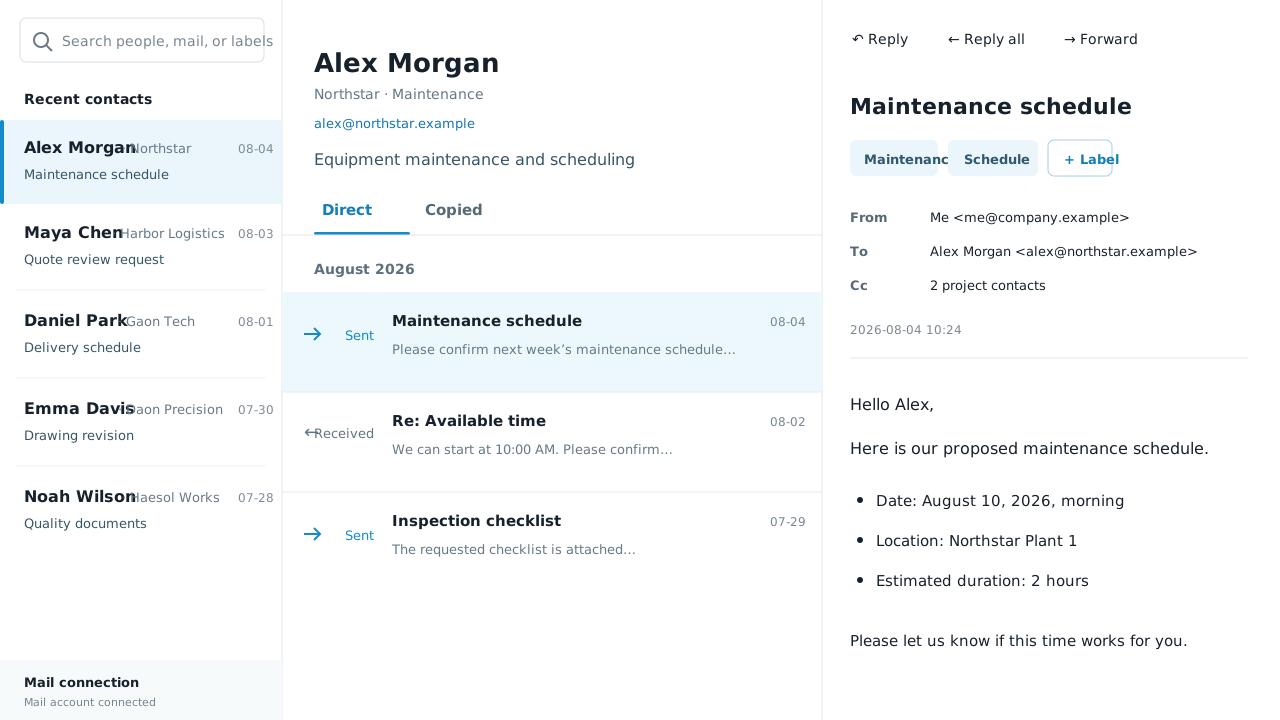
Open a customer, supplier or partner and see every direct exchange in chronological order—even when the subject line and CC list changed.
See how the work reached its current state, not just the latest reply.
03 / FIND IT AGAIN
Type a name, model number, delivery month, amount or phrase from the discussion.
Add APPROVAL, QUOTE or DELIVERY to a message. Find it later with the same normal search.
Add each Gmail account as its own profile and move between them from the same interface.
04 / WHEN IT MATTERS
Check who proposed the change, when it happened and what date was agreed.
Review the first request and every response that led to the current revision.
Open the contact and read from the latest exchange back to the original request.
See what was discussed and what remained open before replying.
05 / GET STARTED
No new email address, forwarding rule or mailbox transfer.
Use the address and mailbox you already have.
Recent mail appears first while older messages keep loading.
Review the timeline and open the original message.
06 / YOUR MAIL
Messages you compose are sent through the connected account and remain in Gmail Sent.
Messages are not moved to a new mailbox or deleted from Gmail.
Disconnect the account and request deletion of synchronized data whenever you choose.
07 / FIT
FOUNDING BETA
This is the real Gmail-connected product, not a simulated demo. Connect a work Gmail account to sync history, search, reply and send immediately. No application or invitation is required.
Free / during beta
Start free betaReal Gmail connection · No card · No automatic billingNo application or approval · Sign in with Google and start08 / FAQ
No. Gmail remains the underlying mailbox. Ordinal Doctrine Mail gives you another way to review and search the same mail.
No. It reads mail from the connected Gmail account and presents it as a person-based history without moving it to a new mailbox.
It syncs from recent mail backwards and stores up to the 50,000 most recent messages per account during the free beta.
Yes. During the free beta, you can connect up to three Gmail accounts as separate profiles and switch between them in the same interface.
A marker is a term you add for later retrieval, such as APPROVAL, QUOTE or DELIVERY. Type the same term into the normal search bar to find it again.
Yes. New messages, replies, reply-all and forwards are sent through your connected Gmail account and remain in Gmail Sent.
The founding beta supports Gmail. Microsoft 365 and other providers are not included in the first release.
No. Every available feature is free during the Founding Beta. We do not collect a card and the beta will not convert to a paid plan automatically.
ORDINAL DOCTRINE MAIL
Keep the record with the work.
Start free beta